
소개: 커피 머신 상호 작용 업그레이드의 과제
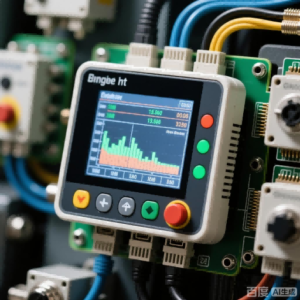
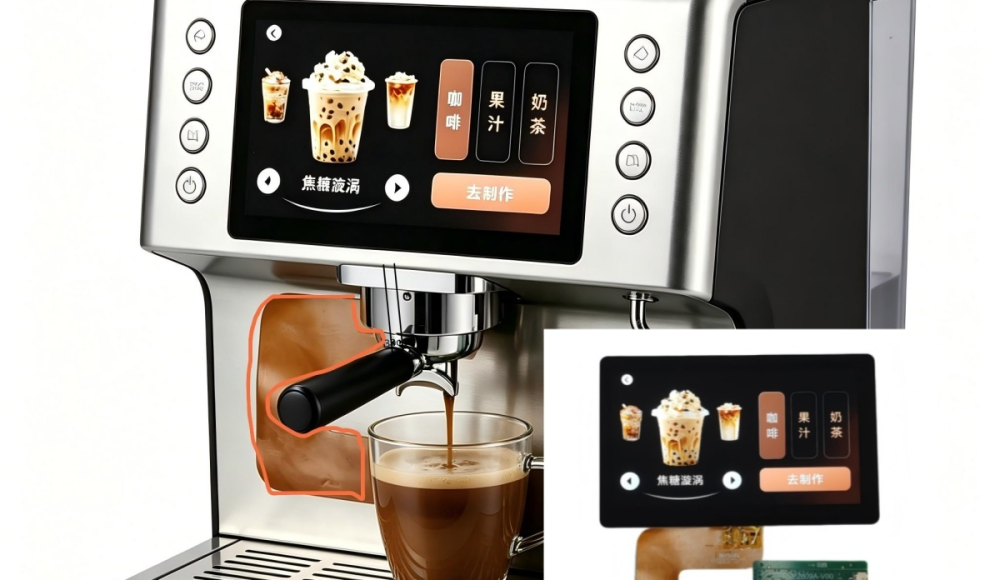
기존 커피머신은 일반적으로 디스플레이 인터페이스 개발 주기가 길고 임베디드 시스템 통합에 큰 어려움을 겪고 있습니다.. 마이크로컨트롤러 기반 메인 컨트롤은 디스플레이 로직을 처리하기 위해 상당한 리소스가 필요합니다., 제품 출시 주기 연장. 동시에, 상업용 커피 머신은 고온 및 기름진 환경에서 매우 높은 디스플레이 안정성을 요구합니다., 기존 솔루션으로는 개발 효율성과 환경 적응성의 균형을 맞추기가 어렵습니다.. 릭신 광전자공학’ 커피 머신 직렬 포트 스크린 솔루션은 임베디드 개발 프로세스를 단순화하고 통합 디스플레이 제어 모듈을 통해 커피 머신의 스마트 대화형 경험을 향상시킵니다..
솔루션의 주요 특징
1. 명령어 세트 제어 아키텍처
• 단순화된 개발 프로세스: 통합 드라이버 회로 및 명령어 세트 작동 기능을 갖춘 HMI LCD 모듈을 활용합니다.. 메인 제어 마이크로 컨트롤러는 간단한 지침으로 복잡한 화면 전환을 달성할 수 있습니다., 기본 디스플레이 프로토콜을 처리할 필요가 없음.
• 하드웨어 비용 절감: 메인 제어 칩 성능에 대한 의존도 감소, 매우 복잡한 디스플레이 작업을 완료하기 위해 저가형 MCU를 사용할 수 있습니다..
• 단축된 개발 주기: LevelTop UI 플랫폼과 결합된 표준화된 통신 프로토콜은 인터페이스 개발 시간을 몇 주에서 며칠로 단축합니다..
2. 다중 프로토콜 호환 인터페이스
• UART/SPI/RS232/RS485 지원: 다양한 커피머신 메인 제어 시스템에 적응하고 기존 하드웨어 아키텍처와 호환됩니다..
• 플러그 앤 플레이 디자인: 표준 인터페이스 정의 및 통신 프로토콜 문서 제공, 하드웨어 적응 작업량 감소.
3. 산업 등급 환경 적응성
• 넓은 온도 범위: -20℃ ~ +70℃의 작동 온도 범위 지원, 상업용 커피머신의 고온 작동 환경에 적합.
• 간섭 방지 회로 설계: 발열체, 모터 등 강력한 간섭원에 최적화된 회로, 전자기 간섭으로 인한 디스플레이 깜박임 또는 시스템 충돌 해결.
• 긴 수명 설계: 산업용 등급 부품을 활용하고 방열을 최적화하여 안정적인 연속 작동을 보장합니다..
4. 사용자 정의 가능한 UI 디스플레이 기능
• LevelTop UI 플랫폼 지원: 그래픽 인터페이스 편집 도구 제공, 브랜드 맞춤형 디스플레이 효과 지원.
• 동적 매개변수 표시: 온도와 같은 작동 매개변수의 실시간 표시, 시간, 커피농도와, 사용자 가시성 향상.
• 다중 언어 전환: 중국어, 영어 등 다양한 언어 인터페이스 지원, 국제 시장의 요구를 충족.
5. 확장된 터치 상호작용
• 정전식 터치 통합: 옵션인 정전식 터치 기능을 통해 클릭, 스와이프 등의 다지점 상호 작용이 가능합니다..
• 풀 라미네이션 기술: 공기층 반사를 줄이기 위해 Oncell 풀 라미네이션 기술을 사용합니다., 디스플레이 투명도 및 방수/방진 성능 향상.
6. 크기 및 사양 범위
• 전체 범위 0.1 인치에서 15.6 신장: 소형 커피 머신 단일 매개변수 디스플레이의 요구 사항을 대형 상업용 기계 제어 화면까지 포괄합니다..
• 사용자 정의 가능한 모양: 다양한 산업 디자인 요구에 맞게 원, 직사각형 등 비표준 모양을 지원합니다..
기술 아키텍처
하드웨어 구성 요소
**디스플레이 모듈:** TFT 컬러 LCD 화면, 240×320에서 1024×600 픽셀까지 해상도 선택 가능, IPS 전체 시야각 디스플레이 지원.
**제어 보드:** 통합 MCU 프로세서, 내장형 디스플레이 드라이버 칩 및 통신 프로토콜 스택, 명령어 구문 분석 및 이미지 렌더링 처리.
**통신 인터페이스:** 표준 UART (TTL 수준), RS232 또는 RS485 인터페이스, 전송 속도는 최대 115200bps까지 구성 가능.
**터치 레이어 (선택 과목):** 통합 정전식 터치 IC, 5포인트 터치 지원, 응답 시간 <10ms.
**통신 프로토콜:**
**지시 형식:** 고정 프레임 헤더를 사용하는 구조화된 프로토콜 + 명령 코드 + 데이터 길이 + 데이터 내용 + 체크섬.
**화면 전환 지침:** 단일 명령어로 페이지 점프 가능, 완전한 이미지 데이터를 전송하지 않고.
**변수 업데이트 지침:** 텍스트의 실시간 업데이트 지원, 가치, 및 아이콘; 데이터 패킷 최소 * 3 바이트.
핸드셰이크 메커니즘: 심장 박동 감지 기능이 내장되어 메인 컨트롤러와 디스플레이 모듈 간의 안정적인 통신을 보장합니다..
UI 개발 도구:
LeveTop UI 플랫폼: 드래그 앤 드롭 구성 요소 레이아웃 및 리소스 관리를 지원하는 시각적 인터페이스 편집기.
자원 생성: 글꼴 라이브러리 자동 생성, 이미지 리소스, 및 구성 파일, 그런 다음 직렬 포트 화면의 내부 저장소에 구워집니다..
시뮬레이션 및 디버깅: PC 측 시뮬레이터 제공, 하드웨어 요구 사항 없이 인터페이스 로직 검증 가능.
사용자 가이드:
1. 하드웨어 연결
1.1 인터페이스 정의
•VCC: 5V 또는 3.3V 전원 입력 (모듈 사양에 따라 선택)
•GND: 전원 접지
•TX/RX: 직렬 통신선, 메인 컨트롤러 MCU의 UART 크로스바에 연결됨
•RST: 신호 재설정 (선택 과목)
1.2 배선상의 주의사항
메인 컨트롤러 MCU와 직렬 포트 화면의 전압 레벨이 동일한지 확인하세요. (TTL 레벨 3.3V 또는 5V). RS232 인터페이스를 사용하는 경우, 레벨 변환 칩 (MAX3232와 같은) 필수.
2. 환경 구성
2.1 개발 도구 다운로드
Rixin Optoelectronics의 공식 기술 지원 페이지를 방문하여 LevelTop UI 플랫폼 설치 패키지를 다운로드하세요. (윈도우를 지원합니다 7 이상).
2.2 프로젝트 생성
• LevelTop UI를 실행하고 해당 직렬 포트 화면 모델을 선택합니다. (예를 들어, 3.5-인치 320×480 해상도).
• UI 디자인 리소스 가져오기 (배경 이미지, 버튼 아이콘, 등.).
• 통신 매개변수 구성 (기본 전송 속도 115200).
2.3 컴파일 및 굽기
• 클릭 “구성 파일 생성” .bin 형식 리소스 패키지를 내보내려면.
• USB-TTL 변환기를 사용하여 직렬 포트 화면의 내부 플래시에 리소스 패키지를 굽습니다..
3. 주요제어 프로그램 개발
3.1 직렬 포트 초기화
메인 제어 MCU에서 UART 인터페이스 구성. 매개변수 설정: 전송 속도 115200, 8 데이터 비트, 1 정지 비트, 패리티 없음.
3.2 디스플레이 명령 보내기
예: 페이지로 전환 2
데이터 보내기: 0xAA 0x70 0x02 0xCC 0x33 0xC3 0x3C
명령 설명: 0xAA (프레임 헤더), 0x70 (페이지 전환 명령), 0x02 (대상 페이지 ID), 체크섬이 뒤따른다.
3.3 변수 데이터 업데이트
예: 온도 표시를 다음으로 업데이트하세요. “85℃”
데이터 보내기: 0xAA 0x82 0x00 0x10 0x00 0x38 0x00 0x35 0xCC
명령 설명: 0x82 (변수 명령 쓰기), 0x0010 (변수 주소), 0x0038 0x0035 (ASCII 코드 “85”).
4. 환경 요구 사항
전원공급장치: 5V±5% 또는 3.3V±5%, 리플 <100mV, LDO 전압 레귤레이터 권장.
작동 온도: -20℃~+70℃ (상업 등급), -40특별한 요구 사항에 따라 ℃~+85℃ 버전 이용 가능.
습도 요구 사항: 비응축 환경, 상대습도 <90%RH.
설치 치수: 표준 개구부 치수 및 장착 구멍 좌표 제공; 임베디드 또는 벽걸이 설치 지원.
5. 참고문서
• 직렬 포트 화면 통신 프로토콜 매뉴얼 V2.3
• LevelTop UI 플랫폼 사용자 가이드
• 커피머신 응용 사례 개발 가이드
적용 가능한 시나리오 및 확장
적용범위
가정용 커피머신: 온도 조절 등의 기능을 시각적으로 조작 가능, 시간 예약, 및 농도 선택.
상업용 커피 장비: 멀티 컵 수량 통계 등 고급 기능 지원, 결함 코드 표시, 그리고 청소 알림.
자동 판매 시스템: 커피 자판기의 결제 프로세스 안내 및 음료 준비 진행 표시에 맞춰 조정.
호환성 확장
스마트 노브 화면 연결: Rixin의 스마트 노브 스크린과 결합하여 통합된 대화형 경험을 얻을 수 있습니다. “매개변수 회전 조정 + 언론 확인 + 실시간 화면 표시”.
IoT 액세스: 메인 제어 MCU는 WiFi/블루투스 모듈을 통해 직렬 포트 화면 표시 내용을 모바일 앱에 동기화할 수 있습니다., 원격 모니터링 활성화.
솔루션 가치 요약
릭신 광전자공학’ 커피 머신 직렬 포트 스크린 솔루션은 임베디드 디스플레이 개발의 복잡성을 60% 명령어 세트 제어 아키텍처와 산업 등급 환경 적응성 설계를 통해, 커피 머신 제조업체가 신속하게 지능형 제품 업그레이드를 달성할 수 있도록 지원. 이 솔루션은 여러 통신 프로토콜과 호환됩니다., UI 사용자 정의 및 터치 확장 지원, 가정에서 상업용까지 모든 시나리오에 적용 가능. LevelTop UI 플랫폼 및 완전한 기술 문서와 결합됨, 장비 제조업체에 하드웨어 통합부터 소프트웨어 개발까지 전체 프로세스 지원을 제공합니다., 스마트 커피 장비의 제품 반복 및 시장 대응 가속화.
기술지원
심천 Rixin 광전자공학 Co., 주식회사.
생산기지: 샤징, 바오안구, 심천
기술 문서: LevelTop UI 플랫폼 개발 튜토리얼 및 통신 프로토콜 명령어 세트 제공
맞춤 서비스: 크기의 깊은 사용자 정의를 지원합니다, 인터페이스, 및 디스플레이 매개변수